One protocol.
Every device.
EtherWaver connects your desktop, VR headset, and clipboard into a single distributed input layer — share control and data seamlessly across all environments.
Everything in your workflow,
unified under one protocol
Each product works independently — and becomes more powerful when used together.
EtherWaver Desktop
Distributed input and screen navigation for desktop environments. One keyboard and mouse, every machine.
- Keyboard & mouse sharing across computers
- Screen navigation with cursor teleport
- LAN-based, low-latency routing
- Windows, macOS, Linux
EtherWaver VR
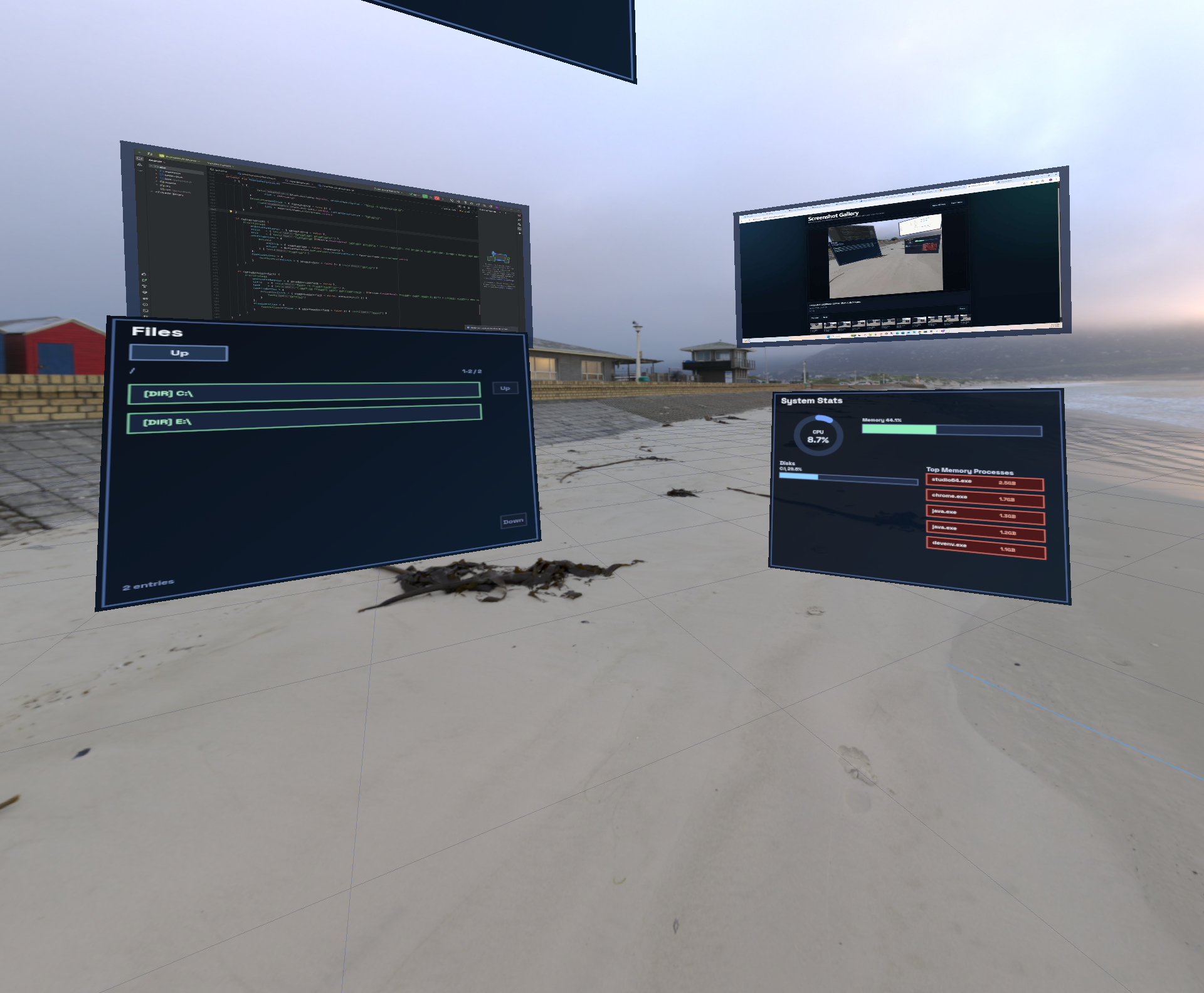
Extend your distributed input setup into virtual and mixed reality. Use your real keyboard and mouse inside XR environments.
- Physical input passthrough to VR
- Head-tracking aware screen layout
- Compatible with Meta Quest and PCVR
- Pairs with EtherWaver Desktop
EtherWaver Clipboard
Shared clipboard that flows with your input focus. Copy on one machine, paste on any — including inside VR.
- Universal clipboard across all nodes
- Text, images, and file references
- History with search
- Syncs with VR clipboard context
How the three connect
All three products route through the same EtherWaver server, sharing a unified input state and clipboard buffer across physical and virtual spaces.
Single server, all nodes
EtherWaver Desktop runs as the core router on your primary machine. VR and Clipboard modules register as nodes — same protocol, same LAN session.
Input follows focus
Whether you switch to a secondary monitor, a VR workspace, or a remote machine — your keyboard, mouse, and clipboard context always follow your active focus.
Clipboard as shared state
Clipboard content is broadcast to all active nodes instantly. Copy in VR, paste on desktop. Copy on machine A, paste on machine B. One buffer, everywhere.